Convert Image to Raw RGB565
Export two-byte RGB565 pixels for embedded displays, with selectable byte order and an opaque preview.
Drop your image here
Drag and drop, or choose a file below
JPG · PNG · WEBP
Up to 250 MB · One image at a time
Each image: up to 16 megapixels and 8192 px per side
Raw RGB565 has no alpha, dimensions, ICC profile or orientation metadata. The reader must know the size, order and RGB layout; BGR565 and byte-swapped display protocols may differ. Quantization can create banding.
Original
Choose an image or try the sample to see your preview here.
100% local processing
How to use
- 01
Choose an image or try the local sample.
- 02
Choose the byte order required by your reader and the background for transparent pixels. Record the image dimensions alongside the download.
- 03
Review the result and download the file.
Try a reproducible example
300 × 200 × 2 = 120,000 bytes of raw RGB565. The little-endian file has no header: the receiving program must know dimensions and byte order. The PNG preview shows the reduced 5/6/5-bit colors.
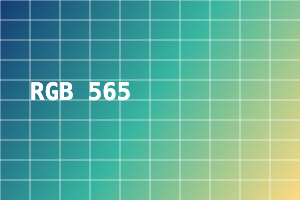
300 × 200 px · 71,657 bytes
Download this file ↓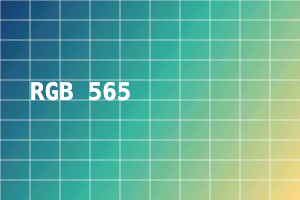
300 × 200 px · 120,000 bytes
Download this file ↓Processing settings
- Byte order
- Little-endian (low byte first)
- Transparency background
- #ffffff
Created by Picvelio on 12 November 2026 from original synthetic artwork using the same code as the tools. Download the input, open the saved settings, then choose that file. File sizes are measured bytes; results with other inputs or browsers can differ.
Open these settings →Details and tips
How it works
After compositing in decoded RGB, red and blue are rounded to 5 bits and green to 6 bits. Each word is RRRRRGGGGGGBBBBB, written left to right and top to bottom without a header or row padding. The preview expands those quantized values back to RGB.
Made for everyday images
Prepare pixel arrays for a microcontroller or test a framebuffer importer. A 300×200 image uses exactly 120000 bytes: 300 × 200 × 2, excluding any header added by your own application.
Frequently asked questions
Are images uploaded?
No. Processing, previews and downloads stay on your device.
What are the limits?
JPG, PNG and WebP, up to 250 MB, 8192 pixels per side and 16 million pixels. Expanded output must also fit these limits. Animation uses one still frame.