Outline a Transparent Shape
Add an inner or outer color stroke following an image’s alpha silhouette, including internal holes.
Drop your image here
Drag and drop, or choose a file below
JPG · PNG · WEBP
Up to 250 MB · One image at a time
Each image: up to 16 megapixels and 8192 px per side
The square neighborhood makes square corners and a Chebyshev-radius stroke, not a circular vector offset. Canvas size is unchanged; an outer stroke is clipped at its edge. Opaque photos have no interior silhouette and this does not remove their background.
Original
Choose an image or try the sample to see your preview here.
100% local processing
How to use
- 01
Choose an image or try the local sample.
- 02
Use a cutout PNG or WebP, choose inner or outer placement, then start with a 2–3 px radius and check the stroke color on its target background.
- 03
Review the result and download the file.
Try a reproducible example
The 3 px black outline follows the alpha boundary with a square neighborhood. The canvas remains 400 × 260 and corners stay transparent. The checkerboard is the page background, not saved pixels.
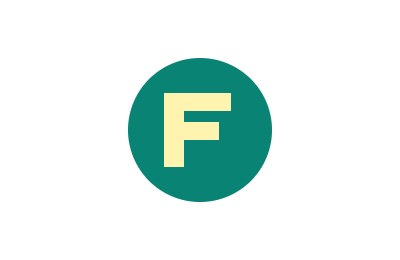
400 × 260 px · 6,361 bytes
Download this file ↓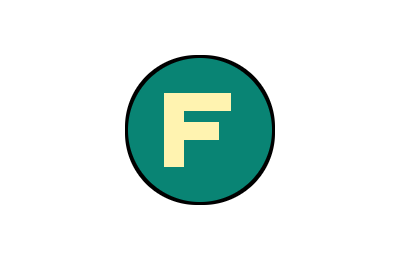
400 × 260 px · 8,410 bytes
Download this file ↓Processing settings
- Square stroke radius (px)
- 3
- Stroke placement
- Outside the shape
- Stroke color
- #000000
- Stroke opacity (%)
- 100
Created by Picvelio on 12 November 2026 from original synthetic artwork using the same code as the tools. Download the input, open the saved settings, then choose that file. File sizes are measured bytes; results with other inputs or browsers can differ.
Open these settings →Details and tips
How it works
A linear-time square max/min filter expands or contracts alpha. Outer strokes fill the added coverage; inner strokes replace edge color within existing alpha. Soft coverage is retained rather than thresholded, and hidden RGB cannot tint a new outer stroke.
Made for everyday images
Outline stickers and transparent logos, emphasize cutout icons, or add a colored inner rim without drawing a rectangle around the canvas.
Frequently asked questions
Are images uploaded?
No. Processing, previews and downloads stay on your device.
What are the limits?
JPG, PNG and WebP, up to 250 MB, 8192 pixels per side and 16 million pixels. Expanded output must also fit these limits. Animation uses one still frame.