Tiny Planet Panorama
Turn a complete 2:1 equirectangular panorama into a stereographic little planet.
Drop your image here
Drag and drop, or choose a file below
JPG · PNG · WEBP
Up to 250 MB · One image at a time
Each image: up to 16 megapixels and 8192 px per side
A 2:1 ratio alone does not make an ordinary photo a panorama. The horizon setting is a percentage of half the output width: 50 places the equator halfway to an edge. Sky near the north pole lies beyond a finite canvas.
Original
Choose an image or try the sample to see your preview here.
100% local processing
How to use
- 01
Choose an image or try the local sample.
- 02
Choose a 2:1 panorama, set the square output size and adjust horizon radius and rotation.
- 03
Review the result and download the file.
Try a reproducible example
A synthetic 1024 × 512 equirectangular panorama becomes a 512 × 512 planet. The longitude grid makes rotation and seam behavior visible. A normal photo is not a substitute for a full spherical panorama.
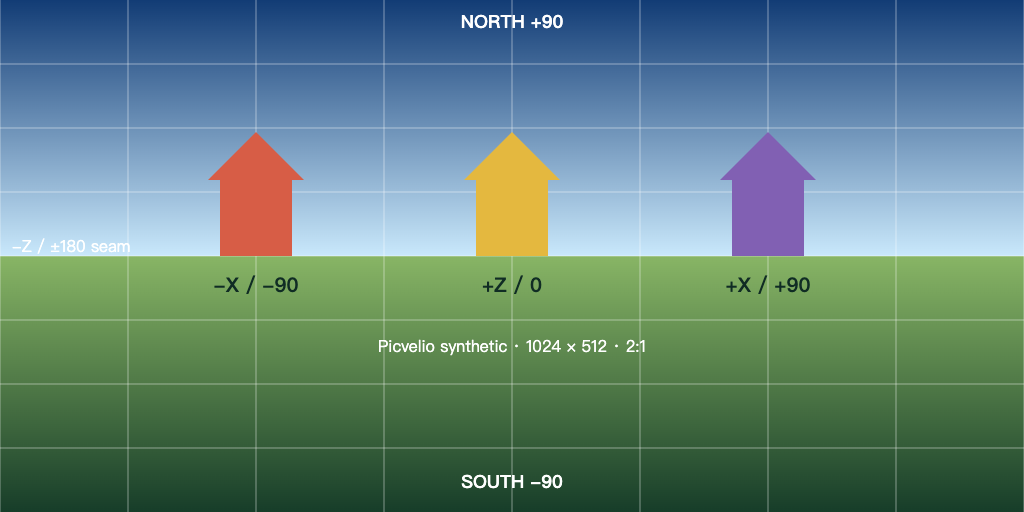
1024 × 512 px · 83,171 bytes
Download this file ↓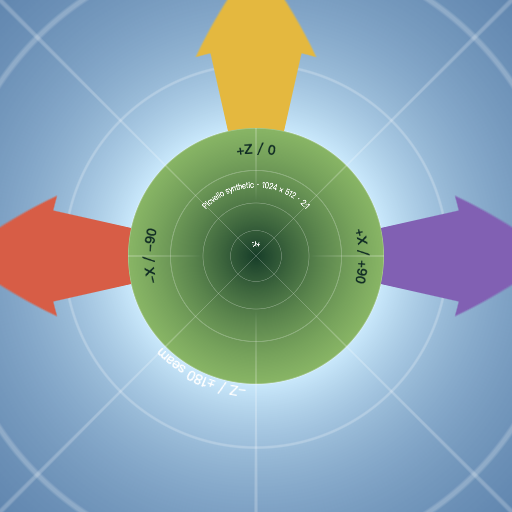
512 × 512 px · 269,619 bytes
Download this file ↓Processing settings
- Output side (px)
- 512
- Horizon radius (%)
- 50
- Longitude rotation (degrees)
- 0
Created by Picvelio on 12 November 2026 from original synthetic artwork using the same code as the tools. Download the input, open the saved settings, then choose that file. File sizes are measured bytes; results with other inputs or browsers can differ.
Open these settings →Details and tips
How it works
Inverse stereographic projection places the south pole at the center. Longitude follows the angle around the planet; latitude follows twice the arctangent of the radial distance. Sampling wraps the panorama seam and weights transparency.
Made for everyday images
Create travel panorama planets, architectural overviews and projection studies with the synthetic longitude grid.
Frequently asked questions
Are images uploaded?
No. Processing, previews and downloads stay on your device.
What are the limits?
JPG, PNG and WebP, up to 250 MB, 8192 pixels per side and 16 million pixels. Expanded output must also fit these limits. Animation uses one still frame.